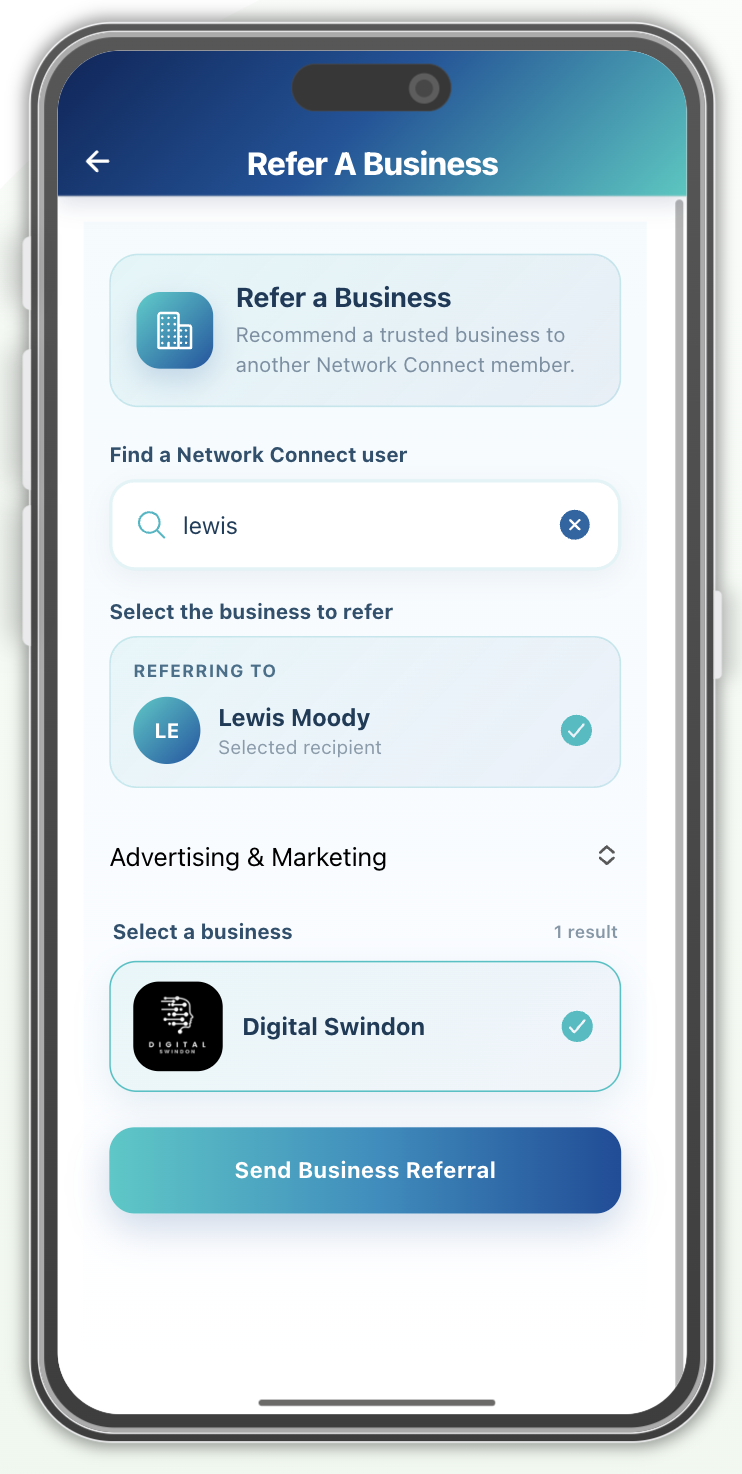
How to send a referral
-
Find the network member
Search for the person you want to recommend a business to. Select their name and check the Referring to card to confirm the correct recipient.
-
Choose a business category
Select the category that matches the service they need, such as Advertising & Marketing. This helps you find a relevant business to recommend.
-
Select the business
Choose a business from the results. Check your selection and the recipient before sending.
-
Send your recommendation
Tap Send Business Referral to share the business with your selected member.